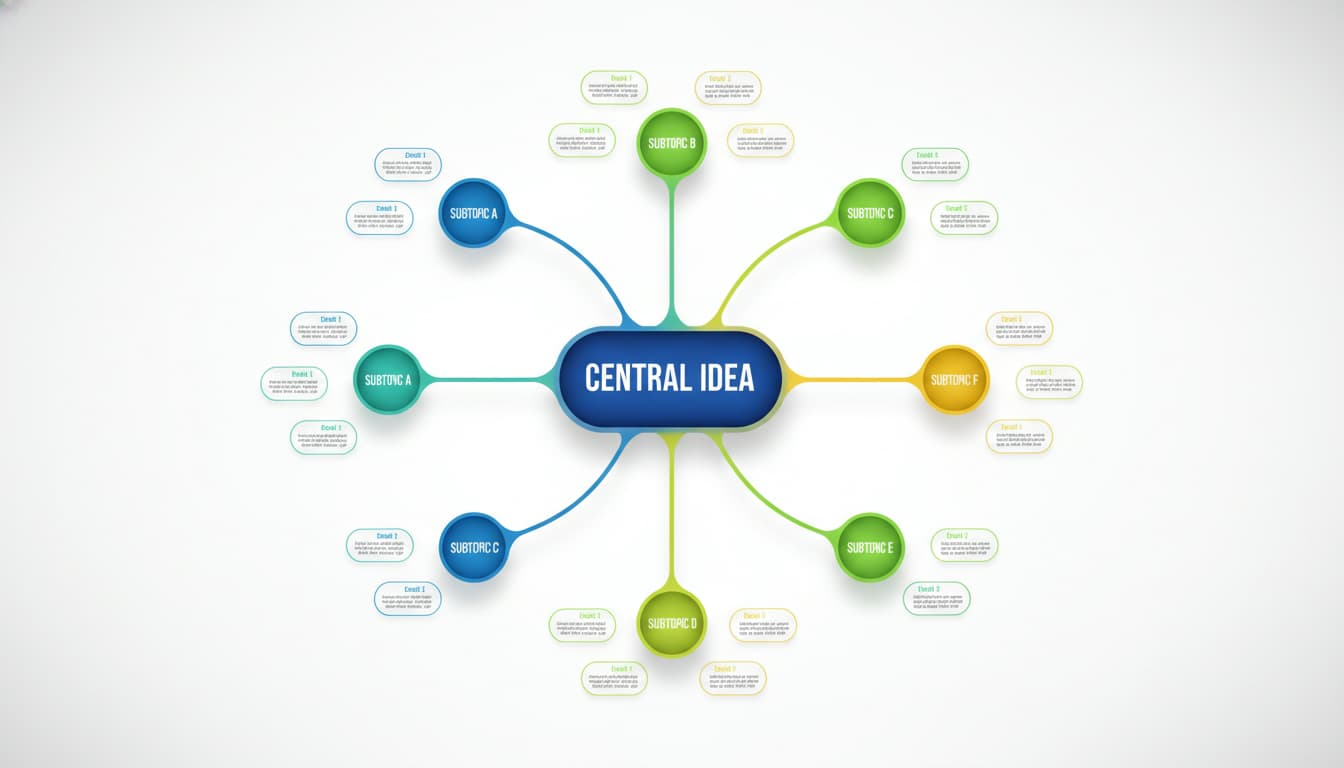

In brief, what you will discover in this article: a clear and simple definition of the mind map, its origins, benefits, and key elements. You will learn how to create one, its differences from other tools, and find concrete examples and practical tools to use it effectively.
1. Definition — What is a mind map?
A mind map is a visual representation of a thought process. It organizes ideas around a central theme in a tree diagram form, linking concepts through branches and connections. Unlike a linear list, it fosters creativity and memory by spatially structuring information. This method is also called mental map or mind map.
1.1 Origin and terminology (mind map, mental map)
The term "heuristic" comes from the Greek heuriskein, meaning "to find." Popularized by Tony Buzan in the 1970s, the mind map aims to reflect the natural functioning of associative thought. It is also referred to as a mental map or mind map in English, but the official French definition prefers the term "carte heuristique" to avoid anglicisms FranceTerme.
1.2 Goals and benefits (memory, organization, creativity)
The advantages of a mind map are numerous:
- It improves memory by associating words, images, and colors.
- It facilitates organization of ideas by prioritizing information.
- It stimulates creativity by encouraging connections between concepts.
These benefits are especially useful in project management, note-taking, or brainstorming, where clear visualization of ideas speeds up understanding and communication (Appvizer).
2. Components of a mind map
A mind map consists of several essential elements that ensure its clarity and effectiveness.
2.1 Nodes, branches, links, images, and colors
- Nodes: keywords or images representing main and secondary ideas.
- Branches: lines connecting the center to ideas, which can be colored to differentiate themes.
- Links: show hierarchical or semantic relationships between concepts.
- Images and colors: reinforce memory and make the map more attractive.
2.2 Rules and best practices (one keyword per branch, hierarchy, readability)
For an effective mind map, it is recommended to:
- Use a single keyword per branch to avoid overload.
- Maintain a clear hierarchy from the center outward.
- Ensure optimal readability with well-spaced branches and distinct colors.
3. Differences with other representations
3.1 Mind map vs concept map
The mind map focuses on associative thinking and creativity, whereas the concept map emphasizes logical and formal relationships between concepts. The former is freer and more intuitive, the latter more structured and analytical.
3.2 Mind map vs traditional diagram / linear list
Unlike a linear list, a mind map is non-linear and spatial. This allows simultaneous visualization of multiple ideas and their links, which improves overall understanding and memory.
4. How to create a mind map — step-by-step method
4.1 Preparation (goal, audience, tool)
Before starting, define:
- The goal of the map (e.g., note-taking, planning).
- The target audience (yourself, team, clients).
- The tool to use: paper, whiteboard, or digital software.
4.2 Building the map (center, main branches, details, review)
- Place the central theme at the center of the page with a word or image.
- Draw the main branches for key ideas.
- Add secondary branches for details.
- Use colors and images to clarify and help memorize.
- Review and adjust the map to improve readability.
5. Concrete examples and use cases
5.1 Teaching and learning
Teachers use mind maps to summarize lessons, facilitate note-taking, and encourage active student participation.
5.2 Project management and brainstorming
In business, mind maps help organize ideas during meetings, plan projects, and stimulate collective creativity.
6. Tools and resources
6.1 Recommended software and apps (free and paid)
Here are some popular tools to create mind maps:
- XMind (free and paid)
- MindMeister (online, collaborative)
- FreeMind (open source)
- Coggle (simple and intuitive)
These programs offer various features, from basic drawing to real-time collaboration.
6.2 Downloadable templates and export formats
Many websites offer ready-to-use templates in PDF, PNG, or files compatible with the named software. These templates make getting started quick and easy.
7. Advanced tips and pitfalls to avoid
7.1 Techniques for memorization and review
- Integrate mental images and color codes to strengthen memory.
- Use the map for active reviews by completing or modifying it.
7.2 Common mistakes
- Too much information on the same branch.
- Lack of clear hierarchy.
- Neglecting readability (branches too close, poorly chosen colors).
For deeper insights, you can consult a comprehensive guide on using mind maps detailing the method and its applications.
If you want to explore other innovative technologies, also discover what an eSIM is and how it can simplify your mobile connectivity.
8. Conclusion
The mind map is a powerful tool to organize, memorize, and stimulate creativity. Easy to learn, it adapts to many professional and personal contexts. To master this method quickly, start with a clear goal and a suitable tool.
To go further, explore our resources and templates on Skyda.co to optimize your productivity.